
Article Contents
Electrical Panel: Planning, Enclosure Selection, Layout and Connection of Modules


Key takeaways
An electrical panel is the single place where all the protection of a building comes together: the circuit breaker, the RCD (residual current device), the voltage relay and the backup power input. Mistakes in it are not visible day to day; they show up at the moment of a fault, when instead of one circuit the whole installation loses power or, conversely, a faulty circuit stays live. This article treats the panel as an engineering task: how many modules to count, which enclosure to choose, in what order to put the devices on the rail, and how to route the neutral and the protective conductor inside.
The material is intended for the electrician, the site foreman and the owner who accepts the work and wants to understand what they are paying for. Individual devices are covered in dedicated materials, in particular in the guide to modular miniature circuit breakers (MCB) on a DIN rail, and here we show how they work together.
Hi, I'm Oleh Lukianchuk, an electrical engineer at UEC. I specialize in panel equipment, circuit breakers and protection of electrical networks.
In this article I will explain how to plan an electrical panel: how many modules to count, which enclosure to choose, in what order to place the devices on the rail, and how to route the neutral and the protective conductor.

Warning! Working with electrical equipment is life-threatening!
Assembling and connecting an electrical panel is classed as high-hazard work. Work inside the panel is carried out with the voltage removed, and the absence of voltage must always be verified with a voltage indicator. Connection to the incoming cable, work on the metering unit and sealing are carried out only by an authorized electrician with electrical safety qualification group III or higher. Do-it-yourself intervention in the incoming part of the panel creates a risk of electric shock and fire.
| Panel parameter | Practical value |
|---|---|
| Width of one module | 17.5 mm, module pitch 18 mm (DIN 43880) |
| Mounting rail | 35 mm profile, height 7.5 mm or 15 mm (TH35 per IEC/EN 60715) |
| Typical capacity of household enclosures | from 2 to 72 modules, rows of 12 or 18 modules |
| Degree of protection for residential use | IP40 indoors, IP55-IP65 for a garage, outdoors and damp areas |
| Reserve of free space | at least 20% of modules above the calculated amount |
| RCD rated residual current (sensitivity) for household circuits | 30 mA, type A for equipment with electronics |
| Device order | input, metering, overvoltage protection, voltage relay, RCD, branch breakers |
What an electrical panel is and what it does
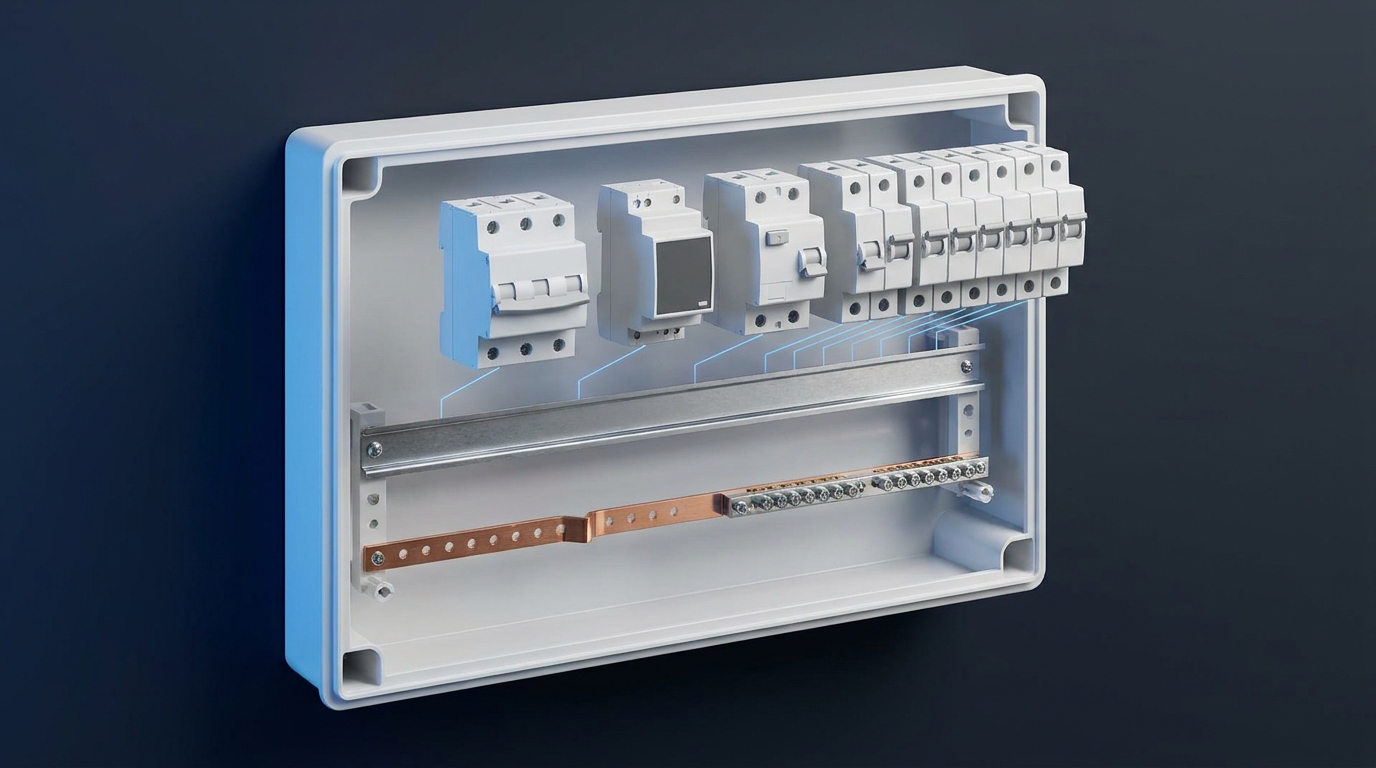
An electrical panel is an enclosure with DIN rails in which the protection, metering, monitoring and switching devices are brought together. Its layout determines whether a faulty circuit trips on its own or the whole installation loses power.
Formally, a panel belongs to the category of low-voltage switchgear and controlgear assemblies. The requirements for panels operated by ordinary persons, that is, apartment and house panels, are set by DSTU EN 61439-3:2017, and the general rules for such assemblies by DSTU EN IEC 61439-1:2022. The design of electrical installations in residential buildings has been governed since 1 January 2026 by DBN V.2.5-23:2025, which replaced the 2010 edition. So a panel is not an arbitrary box of circuit breakers: it is subject to requirements for accessibility of devices, marking, the degree of protection (IP) of the enclosure and the ability to withstand short-circuit currents.
How does a main panel differ from a distribution panel?
The main panel receives power from the grid and contains metering and the main protective device. The distribution panel distributes power across the circuits inside the apartment or house.
In an apartment building these functions are usually separated physically: the electricity meter and the main (incoming) breaker are on the landing, while the apartment panel contains only the branch devices. In a private house both functions are often combined in one enclosure or in a pair of "a metering panel outside plus an internal distribution panel". The difference is fundamental for choosing the enclosure: the main part requires a higher degree of protection and the ability to be sealed, the distribution part requires convenient access and spare room. Confusing these two functions is exactly why people try to fit the meter, the RCD and a dozen circuits into one small box.
Which devices are mandatory and which are optional
The minimum set is an incoming switching device, a residual current protection device and the branch breakers. Everything else is added depending on the needs of the particular installation.
The mandatory part covers two different threats. Insulation damage with leakage current through a person is covered by an RCD or an RCBO (a combined RCD and circuit breaker), while an overcurrent that overheats the cable is covered by a circuit breaker chosen to match the conductor cross-section. The optional part depends on operating conditions: a voltage relay is needed where the mains is unstable, an ATS (automatic transfer switch) where there is a generator, and a modular contactor where a powerful load must be switched by an external signal. The surge protective device (SPD) and the arc fault detection device have their own standards, DSTU EN 61643-11:2018 and DSTU EN 62606:2017 respectively, and are included according to the design.
Why the panel is designed before the walls are chased
The number of circuits determines the number of cables, and the number of cables determines the size of the enclosure and the depth of the recess. Changing this after finishing work costs more than the entire panel.
The working sequence is this: first a list of circuits is drawn up, then the rating of each breaker is selected according to the cable cross-section, then the total number of modules is counted, and only after that is the enclosure chosen.
The reverse order, when a box "for 24 modules, because it looks more solid" is bought first and the layout is then fitted into it, gives either an overfilled panel with no reserve or half of the space left empty. There is one more purely practical reason to design in advance: the depth of the recess for a flush-mounted enclosure is set at the stage of bricklaying or building the partition, not after it. Selecting ratings by conductor cross-section is covered in the table for selecting a circuit breaker per the PUE (Ukrainian Electrical Installation Rules), and the step-by-step load calculation in the article on calculating a circuit breaker by power and current.
How many modules you need: calculating panel capacity
Panel capacity is counted in modules, where one module equals 17.5 mm of device width. Add up the modules of all devices and include a reserve of at least 20% for circuits that will appear later.
This calculation is made once and sets the budget for the entire assembly. A mistake here is not critical for safety, but it is critical for money: replacing the enclosure means dismantling the whole assembly. The count is kept not in "breakers" but in modules, because different devices occupy different widths for the same function. Two panels with the same number of circuits can differ twofold in the capacity they need if one holds RCBOs and the other holds pairs of a circuit breaker and an RCD.
How many modules each device takes
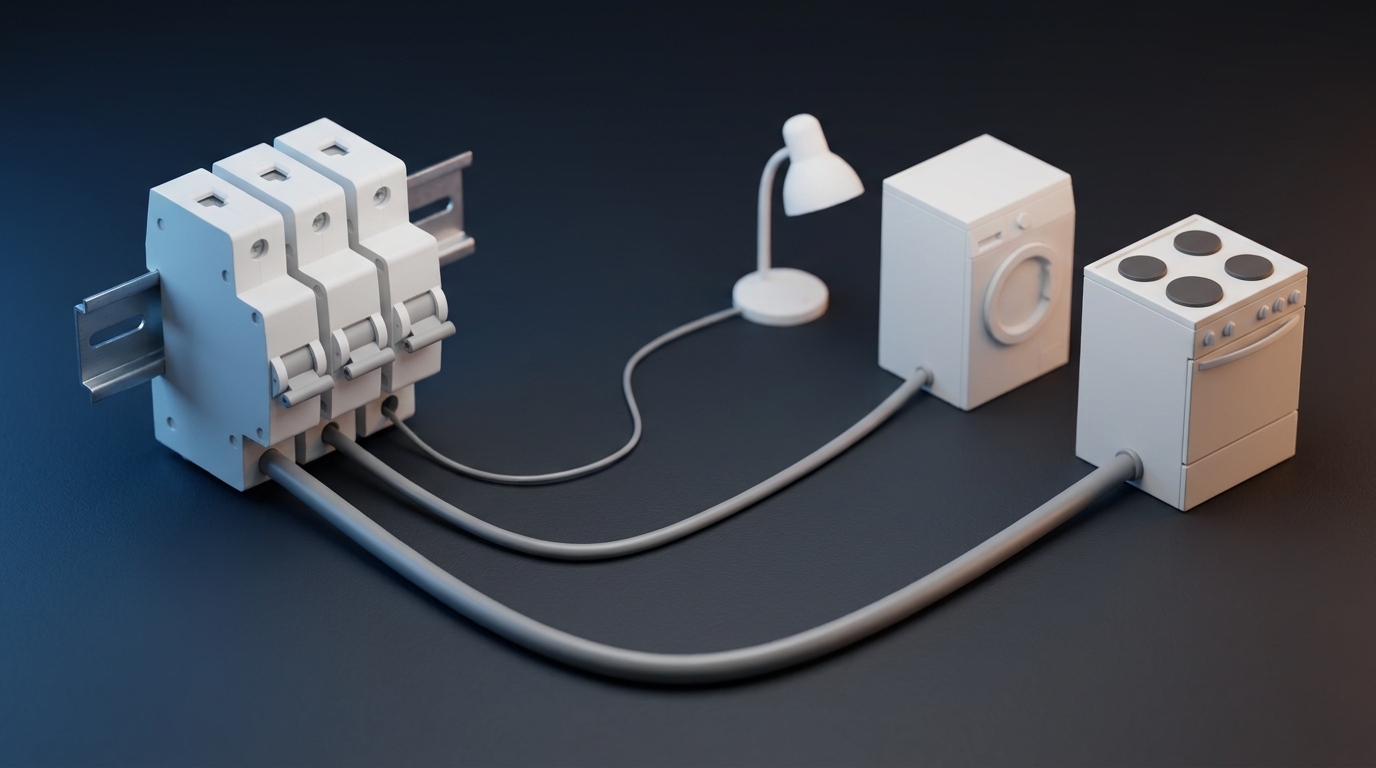
One pole of a modular device is 17.5 mm wide, so a single-pole breaker takes one module, a double-pole one takes two, and a three-phase one takes three.
The DIN 43880 standard defines the dimensional grid for devices of household panels: a module pitch of 18 mm, while the device body is made slightly narrower, 17.5 mm, so that a mounting gap remains between adjacent devices. Manufacturers count enclosure capacity precisely in these modules: in the data card of the 24-module GEWISS 40 CD enclosure the capacity is given as "number of modules (18 mm) 24 (12x2)", that is, two rows of twelve module positions. Residual current devices are wider than ordinary breakers: a double-pole RCD takes two modules, a four-pole one takes four. The SB-ATS-2-063 automatic transfer switch takes three modules, and the voltage relay takes two or three depending on the version.
| Device | Width in modules | Width in mm |
|---|---|---|
| Circuit breaker 1P | 1 | 17.5 |
| Circuit breaker 2P | 2 | 35 |
| Circuit breaker 3P | 3 | 52.5 |
| Circuit breaker 4P | 4 | 70 |
| RCD 2P | 2 | 35 |
| RCD 4P | 4 | 70 |
| RCBO 2P | 2 | 35 |
| Voltage relay | 2-3, confirm from the data sheet | 35-52.5 |
| Automatic transfer switch (ATS) SB-ATS-2-063 | 3 | 52.5 |
| Modular contactor | 1-3 | 17.5-52.5 |
| DIN-rail socket | 2.5 | 44 |
Calculation example for an apartment with six circuits
For an apartment with six circuits, an RCD and a double-pole main breaker, the total requirement is about 12 modules, and with the mandatory reserve it is an enclosure for 18 modules.
Let us count item by item: the double-pole main breaker - 2 modules, the voltage relay - 2 modules, the RCD at the input - 2 modules, six single-pole branch breakers - 6 modules. In total 12. Adding a 20% reserve is another 2-3 modules, which gives 15. The nearest standard size is 18 modules, that is, a ShchRN-P-18 enclosure for surface mounting or a ShchRV-P-18 for flush mounting. If the plan includes a separate RCBO for the washing machine and a second one for the water heater, another 4 modules are added, and the calculation moves up to a 24-module enclosure. This is exactly where it becomes clear whether it makes sense to save space with RCBOs instead of "circuit breaker plus RCD" pairs, and this fork is analyzed in the comparison RCD or RCBO.
Why leave a reserve and how much exactly
A reserve is needed because the electrical network of a home changes: an air conditioner, underfloor heating, an EV charger or a separate circuit for a workshop is added.
Twenty percent is engineering practice, not a figure from a regulatory document, and it should be treated exactly that way. The logic is simple: adding a circuit to a panel with free modules costs hours of work, while adding it to an overfilled panel means replacing the enclosure and redoing all the internal wiring. There is also a thermal side: a densely packed panel cools worse, devices heat up from the operating current, and without gaps the thermal load grows.
A practical guideline: leave 2-4 free modules in an apartment and 6 or more in a private house, because the chance of a generator, a well or motorized gates appearing is higher there.
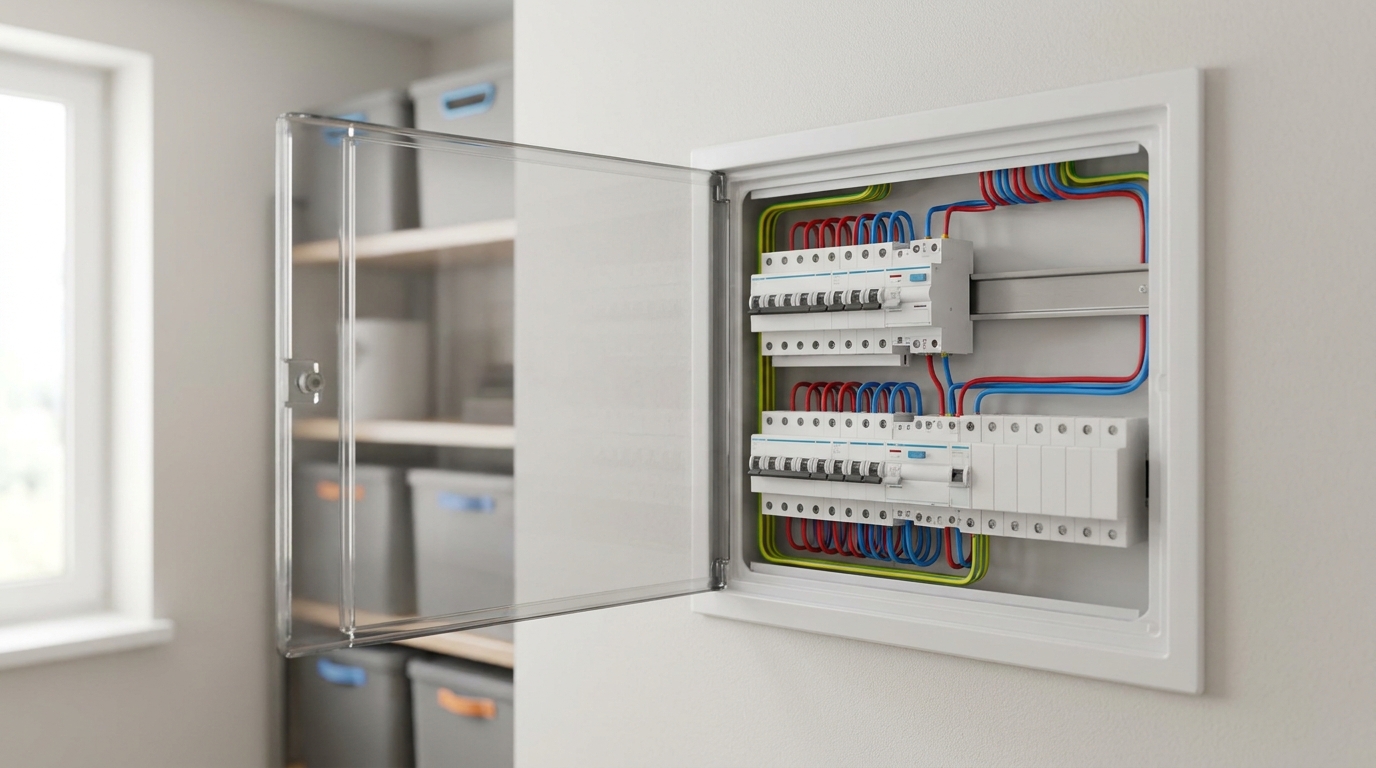
DIN rail: sizes, module pitch and device seating
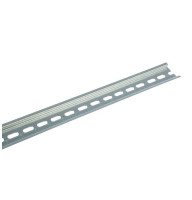
The standard mounting rail has a profile width of 35 mm and a height of 7.5 mm or 15 mm: these are the TH35-7.5 and TH35-15 types per IEC/EN 60715. The length of the rail determines how many devices fit in one row.
The rail is the cheapest element of the panel and at the same time the one that sets the entire geometry. The mechanics rest on it: the device snaps with its latch onto the upper flange of the profile and is held by a spring from below. If the rail is shorter than the row or is mounted skewed, the comb busbar will not sit flat, and the terminals of adjacent devices will end up at different heights. That is exactly why any modular circuit breaker, RCD or contactor is designed for one and the same profile: the DIN rail is the common denominator for equipment from all manufacturers who follow the standard. In catalogs and product data sheets this element appears under several spellings ("DIN rail", "DIN-rail", "din rail"), and all of them refer to one and the same product.
TH35-7.5 or TH35-15: when a reinforced rail is needed
Both profiles have the same width of 35 mm and differ in height and rigidity: 7.5 mm for household panels, 15 mm for heavy loads.
The TH35-7.5 rail is the standard option for apartment and house panels: a typical galvanized rail has a metal thickness of about 0.8 mm and perforations for fastening. It is sufficient for modular breakers, RCDs, relays and contactors. The TH35-15 profile is taller and thicker, and it is used where a considerable weight rests on the rail or where vibration is possible: cabinets with power devices, industrial panels, installation on moving equipment. The two should not be mixed up, not because of the device size but because of rigidity: a thin rail sags under the weight of large devices, and the latches gradually lose their tension.
Why one module is 17.5 mm while the pitch is 18 mm
The dimensions of devices for household panels are set by DIN 43880: the module pitch is 18 mm, and the width of the device body is 17.5 mm, so that a gap remains between adjacent devices.
This half-millimeter difference explains a discrepancy that is often noticed when counting. Catalogs state the device width as 17.5 mm, while manufacturers give enclosure capacity in 18 mm steps. In practice the pitch is used for the calculation: if an enclosure is declared with 12 modules per row, exactly twelve single-pole breakers will fit in it, and not one more. The typical height of a modular device for a household panel is about 45 mm above the rail, and the mounting depth is about 70 mm, so an enclosure less than 100 mm deep leaves no room for cables behind the devices.
How to calculate the rail length for the required number of modules
The row length equals the number of modules multiplied by 18 mm, plus an allowance for end stops. Twelve modules take 216 mm, eighteen take 324 mm.
In ready-made enclosures the rails are already cut to size, and the calculation is only needed when assembling a panel in your own metal box or cabinet. Rails are sold in pieces of fixed length: the UEC catalog includes galvanized rails of 10, 15, 20, 25, 30, 60, 100, 125 and 200 cm, including a reinforced version of 100 cm. The calculation is simple: take the required number of modules, multiply by 18 mm, add 20-30 mm for the end stops on both sides, and choose the nearest longer piece.
It is always better to take a longer rail and cut it than to join two pieces in one row: at the joint the devices sit unevenly.
What else goes on the rail besides devices?
An end stop secures the outermost device and keeps the row from shifting, while insulators are used for mounting power busbars inside the cabinet.
End stops come in plastic and metal versions, are placed on both sides of the row and cost pennies, but they are exactly what keeps the devices from "wandering" along the rail when the door vibrates or a stiff cable is connected. Power insulators of the SM series, as well as stepped IS4 insulators, perform a different function: copper busbars are mounted on them in metal cabinets when the currents go beyond the capability of a comb busbar. Separately it is worth mentioning KVM incoming terminals, which accept a conductor with a cross-section of 4 to 25 mm2 and are used where the incoming cable enters directly onto the modular equipment. Both groups of products, together with the rails, are collected in the section on accessories and fittings for cabinets.
Which enclosure to choose: surface-mounted or flush-mounted, plastic or metal
A surface-mounted enclosure is installed on the wall surface, a flush-mounted one in a prepared recess. The material and degree of protection are chosen according to the room: IP40 is enough for living spaces, while a garage and outdoors need IP55 or IP65.
The enclosure determines not only the appearance but also the operating conditions of the devices: the temperature inside, protection against moisture and dust, mechanical strength. A mistake in the choice shows itself not at once but a season later, when condensation appears in a panel on an unheated veranda. For household use a compact enclosure with a few rows is usually enough, whereas an electrical cabinet is needed where the equipment does not fit into the modular grid: power knife switches, high-current distribution blocks, busbars on insulators. The difference between a box and a cabinet is not only in size but also in how the devices are mounted: a cabinet uses a mounting plate on which the rails and busbars are arranged in the required configuration.
Surface-mounted or flush-mounted: what the wall type decides
A flush-mounted enclosure requires a recess at least as deep as the enclosure itself, so in a load-bearing wall or a thin partition it often cannot be installed.
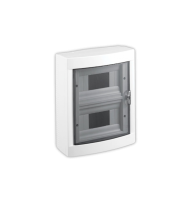
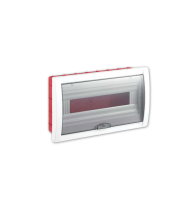
The surface-mounted version is universal: the enclosure is fixed to any surface, installation is faster, and access to the rear is easier. The downside is that the panel protrudes from the wall and is visible. The flush-mounted version looks neater and does not take up room space, but it requires a prepared recess and coordination with the structure: chasing load-bearing walls to a depth of 100 mm or more is not allowed. In the UEC range, surface-mounted plastic enclosures are designated ShchRN-P and flush-mounted ones ShchRV-P, while the metal ones have the indices ShchRn and ShchRv respectively. In GEWISS, the wall-mounted 40 CD series enclosures are complemented by flush-mounted 40 CDe with metal doors, and both ranges are shown in the video review of 40CD and 40CDK distribution panels.
IP20, IP40, IP55, IP65: which is needed where
The first digit of the IP code denotes protection against solid objects and access to hazardous parts, the second denotes protection against water. The degree of protection of enclosures is defined by DSTU EN 60529.
The modular devices themselves have a degree of protection of IP20: this is protection against touch by a finger but not against water, so they always operate inside an enclosure. For a panel in a dry residential room IP40 is enough, which corresponds to most ShchRN-P and ShchRV-P plastic enclosures. The metal enclosures ShchRn, ShchRv, ShchORn and ShchORv have IP31 and are intended for technical rooms. Where there is dust, splashes or humidity swings - a garage, workshop, boiler room, an outer wall - IP55 or IP65 is needed: these are ShchMPp enclosures in the IP65 version, shown in the review of ShchMPp enclosures, and the GEWISS 40 CD series with transparent doors. Mechanical strength deserves separate attention: for the 40 CD enclosures it is rated IK09.
| Location | Required degree of protection | Typical enclosure |
|---|---|---|
| Apartment, living room, hallway | IP40 | ShchRN-P, ShchRV-P, 40 CD |
| Technical room in a house | IP31-IP40 | ShchRn, ShchRv, ShchORn |
| Kitchen, room with elevated humidity | IP44-IP55 | 40 CD IP55 |
| Garage, workshop, boiler room | IP55 | ShchMPp, 40 CD IP55 |
| Outdoors, unheated room, basement | IP65 | ShchMPp IP65, 40 CD IP65 |
Plastic or metal: strength, corrosion, weight
A plastic enclosure is lighter, does not require earthing of the enclosure and does not corrode; a metal one is stronger and better suited to large panels and technical rooms.
For an apartment plastic is practically the only sensible choice: lower weight, simpler installation, no requirement to earth the enclosure, a wider choice of sizes with transparent doors. Metal wins where there is a mechanical risk or a considerable weight of devices: panels in workshops, garages and production facilities, as well as panels with power devices and busbars on insulators. A metal enclosure must be connected to the protective conductor. In cold unheated rooms metal has one more drawback: condensation forms faster on the inner surface, so ventilation openings are useful there, or an enclosure with a higher IP rating installed in a drier area.
What enclosure sizes are available in the UEC and GEWISS ranges?
Household enclosures come in a range of capacities from 2 to 72 modules, arranged in rows of 12 or 18 module positions.
UEC plastic enclosures are available for 2, 4, 6, 8, 12, 18, 24 and 36 modules in surface-mounted and flush-mounted versions: for example, the two-row ShchRN-P-24 measures 295x337x100 mm. The metal ShchRn and ShchRv come in 12, 18, 24, 36 and 48 modules, and the ShchORn and ShchORv series is intended for panels with metering. GEWISS 40 CD enclosures cover a range from 4 to 72 modules: the 24-module model measures 250x375x135 mm, has a rated current of 125 A and an operating range from minus 25 to plus 60 degrees Celsius. The whole range is collected in the sections on plastic enclosures and metal enclosures and cabinets.
"The most common conversation with a customer goes like this: 'give me a panel for twelve breakers'. Then it turns out that the list includes an RCD taking two modules, a voltage relay taking two more, and an RCBO for the washing machine. In the end, out of twelve places, six are left for breakers. Count modules, not devices, and half of the assembly problems disappear as early as the purchasing stage."
- Oleh Lukianchuk, electrical engineer at UEC
Module order on the rail: from the input to the circuits
Devices are placed in the order of current flow: the incoming switching device, metering, overvoltage protection, the voltage relay, the RCD, the branch breakers. This order makes the layout readable and ensures selectivity.
This is the part of the work where the difference between a neat panel and chaos is visible to the naked eye. The order is not for looks: it determines which device trips first in a fault and how long it will take to find the problem a year later. The typical wiring layout of breakers in a panel follows one principle: the closer a device is to the input, the higher its rating and the wider the zone it protects. The branch devices stand last and are responsible only for their own circuit, so they are the ones that must trip first.
Why the order is read left to right and top to bottom
The input is placed on the left in the top row, then the layout moves to the branch devices to the right and downward, following the direction in which energy flows.
This logic matches the way a single-line diagram is read, so any electrician who opens the panel for the first time will understand the layout in a minute. When the main breaker sits in the middle of a row and the circuits are scattered arbitrarily, every service visit begins with tracing the wiring with a tester. The second rule: circuits of the same kind are placed together, for example all lighting circuits in a row, followed by the socket circuits, then the separate circuits for powerful appliances. This also simplifies installation of the comb busbar, because it runs over adjacent devices in a single piece.
Where the meter and the voltage relay go
The meter is placed right after the incoming device, and the voltage relay after the meter, ahead of the residual current protection devices and the branch breakers.
The voltage relay monitors the quality of the supply and disconnects the load when the voltage goes outside the set limits. The voltage quality standards for public distribution networks are set by DSTU EN 50160:2023. The placement logic is simple: the relay must see the same voltage that arrives at the panel and de-energize everything that comes after it. The single-phase UEC relay of the SB-RV-08 series is available for 32, 40, 63 and 80 A, and the SB-RVA-08 version adds current monitoring. If the rated current of the input exceeds the switching capacity of the relay, it is used in tandem with a contactor rather than being connected "directly" to the whole input. The trip thresholds and the restart delay are covered in the article on optimal voltage relay settings, and the connection diagram in the article on connecting a voltage relay in the panel.
Selectivity between the input and the circuits: so that the right device trips
Selectivity is the coordination of devices by rating and trip time so that, in a fault, the device nearest to the fault trips rather than the incoming one.
The basic rule for a household panel: the rating of the incoming device must be higher than the rating of any branch device, usually by two steps of the standard series.
If 16 A breakers are on the circuits, it makes sense to take a 25 A main rather than 20 A. Besides the rating, the time-current (trip) characteristic matters: for lighting circuits the logical choice is characteristic B, for socket circuits and appliances it is C, and characteristic D is reserved for circuits with high inrush (starting) currents. The difference between the curves is covered in the article on characteristics of circuit breakers B, C and D, and the principles of coordination in the article on selectivity of circuit breakers.
A separate parameter that has nothing to do with the rating is the breaking capacity, marked on the body as 4500, 6000 or 10000. This is the maximum short-circuit current that the device is able to interrupt without being destroyed. For apartments in typical buildings 4.5 kA or 6 kA is usually enough, and closer to a transformer substation, where the short-circuit current is higher, 10 kA is taken. In the UEC range this corresponds to the SB-M8 series at 4.5 kA, SB-M9 at 6 kA and SB-M9H at 10 kA, and the selection itself is explained in the overview of circuit breaker breaking capacity.
How to label circuits and why a single-line diagram is needed
Every device is labeled according to the purpose of its circuit, and the panel diagram is placed inside the door. Without this, servicing turns into guesswork.
Labeling is done not with a pencil on the enclosure but with abrasion-resistant marks: special marker holders or marking applied to the inside of the door. The minimum set of data is the circuit name, the device rating and the cable cross-section, for example "Kitchen, sockets, C16, 2.5 mm2". The single-line diagram complements this with the overall picture: what is fed from where, where the RCD is and which circuits are under it. In practice, it is the absence of a diagram that turns diagnosing a simple trip into half an hour of work, and that is why a panel without labeling should not be accepted from a contractor.
N and PE busbars: why the neutrals of circuits downstream of the RCD are not joined
In a TN-S system the working neutral N and the protective conductor PE are separated throughout the network. The neutrals of circuits behind different RCDs must not be joined: the device will perceive the cross-flow of current as leakage and will trip without a real fault.
This is the place where a mistake costs the most, because it is both functional and dangerous. The panel can work for months and then start tripping "for no reason", and people will look for anything except the jumper between the neutral terminals. The difficulty is that visually such a mistake looks neat: the neutrals are brought together at one point, everything is tightened, the insulation is intact. It can be found only from the diagram or by disconnecting circuits one by one, which is why neutral conductors are labeled together with the phase ones already at the installation stage.
How the neutral busbar (N) and the protective earth busbar (PE) are built in the panel
The neutral busbar (N) collects the working neutral conductors of the circuits and is insulated from the enclosure; the protective earth busbar (PE) collects the protective conductors and is connected to the enclosure and the earthing loop.
Physically these are two terminal blocks, and they are not interchangeable. The neutral busbar is mounted on insulators, while the protective one can be fastened directly to the metal enclosure. In plastic enclosures ready-made terminal blocks are used: for example, N plus PE blocks or PEN blocks for 80 and 125 A for GEWISS enclosures. The second rule, which is violated most often: two conductors must not be put under one clamp unless the terminal is designed for it. Each circuit gets its own position on both the N busbar and the PE busbar.
What physically happens when neutrals are joined
An RCD compares the current in the phase and neutral conductors of its own circuit. If the neutral of a circuit is connected to the neutral of a circuit behind a different RCD, part of the current returns bypassing the device, and it reads this difference as leakage.
Imagine two socket circuits, each behind its own RCD, whose neutrals are tied to a common jumper. The load current of the first circuit will partly flow back through the neutral of the second. For the RCD this means that inside its measuring window the current going out and the current coming back do not match, and that is precisely the sign of leakage. Two scenarios are possible next, both bad: the device trips under every serious load, or, in a certain configuration, loses sensitivity and does not trip at the moment of a real leakage. The second scenario is what makes this mistake a matter of safety rather than convenience. The mechanics of the device are covered in detail in the complete guide to RCDs, and the correct connection in the RCD wiring diagram.
Why the protective conductor is not switched
No current flows through PE in normal operation; it is needed at the moment of a fault. A device capable of interrupting it deprives the protection of its meaning exactly when it is needed.
That is why no breakers, fuses or switches are placed in the protective conductor, and connections are made so that removing one device does not break the circuit for the others.
A practical conclusion for assembly: PE is run from the busbar to each consumer by a separate conductor, not in a daisy chain through the terminals of the devices.
The same applies to cross-section: the protective conductor cannot be thinner than the ratio set for it relative to the phase conductor, otherwise in a fault it will burn out before the protection operates. This is also the reason why double-pole devices with neutral disconnection, rather than protective conductor disconnection, are used in the panel: the difference between the 2P and 1P+N versions is covered in the article on breakers with neutral disconnection.
How is PEN split at the input in a TN-C-S system?
In a TN-C-S system the PEN conductor arrives from the network combined and is split into N and PE in the main panel. After the split point the conductors are never recombined.
This is the most common situation in the Ukrainian housing stock: an old-type supply line comes into the house, while inside the wiring is already built with separate conductors. The split point is made at the incoming device, and the PE busbar begins exactly from it. A mistake made during do-it-yourself rework is to put a jumper between N and PE in the distribution panel "for reliable earthing". The consequence: part of the working current starts to flow along the protective conductor, and the RCD does not work correctly in such a circuit. If the condition of the supply line is unknown, the PEN split and the check of the earthing system are carried out by an authorized electrician, not by the owner.
Distribution blocks and connecting busbars inside the panel
Power between adjacent devices is distributed by comb busbars, and the transition from a large cross-section cable to several smaller ones is made with a distribution block.
The internal wiring of a panel is what separates a factory-built assembly from an improvised one. Instead of a dozen jumpers cut from cable offcuts, standard products are used that are rated for the required current and fixed by design. The difference is not cosmetic: a homemade jumper has a random cross-section, has no engineered contact, and when heated it acts as the weakest link. In a household panel this job is done by two groups of products - comb busbars for adjacent devices and RBD-80A distribution blocks and more powerful ones for main distribution.
Comb busbar: PIN or FORK, and for what current
A comb busbar connects the matching terminals of several devices with a single part. The PIN version has pin contacts, the FORK version has fork contacts, to match different types of device terminals.
The UEC catalog includes 63 A busbars in single-pole, double-pole and three-phase versions, 1 m long or 12 modules long. GEWISS offers 63 A and 80 A busbars for 12, 18 and 56 modules. The choice between PIN and FORK is determined by the terminal design of the specific device, not by the installer's preferences.
Key rule: the busbar must be rated for the current of the incoming device that feeds it, not for the sum of the branch breaker ratings.
When a busbar is cut to the required length, the exposed contacts are closed with the standard end caps.
When a comb is not enough and a distribution block is needed
A distribution block is used when several circuits of smaller cross-section must be fed from one conductor of large cross-section, or when the current exceeds the capacity of a comb busbar.
In the UEC range these are RBD DIN-rail blocks rated 80, 125, 160, 250 and 400 A and RBDp feed-through blocks. For example, the RBD-160A is a single-pole block with brass contacts for a rated voltage of 660 V and a current of 160 A, which accepts conductors with cross-sections of 1x70, 1x16 and 6x16 mm2. Such blocks are used in three cases: phase distribution in a three-phase panel, forming the main earthing busbar, and feeding several circuits from a common input. The practical difference from a comb busbar: a block is rated for much higher currents and for conductors of different cross-sections, whereas a comb busbar works only with devices of the same type in a row. Ready-made blocks and terminal blocks are collected in the section of additional modular devices.
Why do terminals overheat and what tightening torque is needed?
Every device has a rated tightening torque for its contact terminals, and observing it matters more than the strength of the installer's hands.
For UEC SB-M9 series modular circuit breakers (MCBs) the rated torque is 3 N·m, and for SB-R10N RCBOs it is 1.2 N·m. An under-tightened contact has an increased contact resistance, heats up under load, oxidizes and heats up even more: this is the classic mechanism that ends with a melted terminal. An over-tightened contact deforms the conductor and gives the same result by a different route. The second common cause of heating is a stranded conductor clamped without a ferrule: under the pressure of the screw it gradually flattens, and the contact loosens. That is why a flexible wire is crimped with a ferrule, and the connections are re-tightened a few weeks after the panel is put into operation under load.
Voltage relay, RCD and RCBO: the place of each device
A voltage relay protects equipment from voltage deviations, an RCD protects a person from leakage current, and an RCBO combines leakage protection with overcurrent protection. In the panel they stand in series one after another, not in place of one another.
Confusion between these three devices is the most frequent conceptual mistake in household panels. Each covers its own type of fault, and none duplicates another. A voltage relay does not see leakage current, an RCD does not react to overload, and a circuit breaker will in no way protect equipment from a voltage surge in the grid. So the question "what should go in the panel, a voltage relay or an RCD" is incorrectly phrased: with full protection, both devices are present in the panel.
Why the voltage relay is placed after the incoming device
The relay is not an overcurrent protection device and has no short-circuit protection of its own, so a circuit breaker or a load-break switch always stands ahead of it.
The UEC SB-RV-08 voltage relay is available for 32, 40, 63 and 80 A, operates in the frequency range of 45-65 Hz and has a mechanical endurance of about a million cycles. The rated current of the relay is chosen no lower than the current of the incoming device, otherwise the contact group works at its limit. When the input current is high, a contactor arrangement is used: the relay controls the coil, and the contactor switches the power current. The order in which a voltage relay, an RCD and an RCBO are connected in one panel is covered in a separate article on the connection sequence of a voltage relay, RCD and RCBO, and for a three-phase input a three-phase voltage relay with phase monitoring is used.
RCD on the input or on the circuits
A single RCD on the input is cheaper and takes up less space, but when it trips it de-energizes the entire installation. RCDs on individual circuits are more expensive but localize the disconnection.
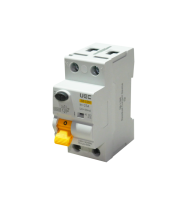
The compromise option most often used in household panels is an RCD with a 30 mA threshold on the higher-risk circuits, that is the bathroom, the kitchen and outdoor sockets, and a separate device with a higher threshold on the input as a fire-protection RCD. In the UEC range, residual current devices are represented by the SB-L9M series: double-pole versions rated 16, 25, 32, 40, 50, 63 and 80 A and four-pole versions for currents up to 100 A, with a 10 or 30 mA threshold, types AC and A. Type A is chosen where there is equipment with switch-mode power supplies and inverters: washing machines, induction hobs, chargers. It is important not to mix up the series: the SB-L9M is precisely an RCD, that is a device without overcurrent protection, and it always needs a circuit breaker upstream of it. The whole class of devices is collected in the section of residual current protection devices.
An RCBO where there is no room for two positions
An RCBO combines the functions of a circuit breaker and an RCD in one housing and is used when a circuit must be fully protected and there are few modules left in the panel.
UEC SB-R10N and SB-R9NE series RCBOs are made in double-pole versions rated 6-63 A and in four-pole versions, with a 10, 30 or 100 mA threshold, types AC and A. The SB-R10N 2P C16 30 mA type A model, for example, has a rated insulation voltage of 400 V and accepts a solid conductor with a cross-section of 1-25 mm2. In GEWISS this class is represented by the MDC60 series in the 1P plus N and 4P versions. A typical application scenario is a separate circuit for a storage water heater, a washing machine or a dishwasher, where both cable protection and leakage protection are needed, and there is no room for the "circuit breaker plus RCD" pair.
The practical difference for the panel lies in the width and in the consequences of tripping. An RCBO takes two modules instead of the three needed for a pair of devices, and disconnects only its own circuit, whereas a shared RCD de-energizes all the circuits connected to it on a leakage fault. The downside is cost and repairability: when it fails, the whole device is replaced together with its overcurrent protection function. A comparison of both residual-current protection series is given in the overview of SB-L9M, SB-R9NE and SB-R10N, and the connection procedure in the article on connecting a residual current circuit breaker.
ATS for a generator: how backup power is brought into the panel
An ATS (automatic transfer switch) transfers the supply to the backup source automatically as soon as the main one disappears. The SB-ATS-2-063 modular automatic transfer switch takes up three modules, is rated for 63 A and transfers in 50 ms.
After the mass power outages this unit has stopped being exotic and is now built into most new panels of private houses.
There is only one main requirement for it: the main and backup sources must not meet at the same point.
The ATS connection diagram in the panel is built so that the transfer happens with a break: first the contact of the main input opens, and only then does the backup one close. This is exactly what distinguishes a transfer switch from an ordinary pair of circuit breakers that can theoretically be switched on at the same time.
What does the backup transfer diagram look like in a household panel?
The ATS is placed after the incoming device and before the branch breakers, so that backup power is received by all the circuits that must keep working during an outage.
The UEC catalog includes SB-ATS-2-063 switches for a single-phase network and SB-ATS-4-063 and SB-ATS-4-100 for a three-phase one. The device has two inputs and one output, supports automatic and manual mode, has an IP30 degree of protection and is mounted on a DIN rail. A practical nuance: a generator often cannot carry the whole house, so backup power feeds a dedicated group of circuits - lighting, the refrigerator, the heating boiler, the pump - rather than all the wiring. Accordingly, the panel gets split into two parts: critical loads after the ATS and ordinary circuits ahead of it. A full breakdown of the unit with diagram variants is given in the ATS guide and in the article on connecting an ATS for a generator.
Why a generator is not plugged into a socket
Connecting a generator by cable to a household socket feeds voltage to the entire internal network without isolating it from the grid (back-feed) and creates a hazard for personnel working on the mains line.
This method has no mechanism that prevents back-feeding: when mains supply is restored, the two sources end up connected together. In addition, a socket circuit is not rated for the generator current, and no device in the panel monitors this input. A correct wiring diagram always contains a switching device that physically makes simultaneous connection of two sources impossible: either an ATS or a changeover switch with an off (0) position. Typical violations in this unit are collected in the article on common mistakes in operating transfer switches.
What to install if automatic operation is not needed
When the owner is ready to switch the generator on personally, a three-position changeover switch is installed instead of an ATS: mains, off, generator.
Such a device is cheaper, has no electronics and does not need power to hold its position, and the off (0) position by design rules out connecting the two sources together. The downside is obvious: switching is done by a person, which means the backup does not work when nobody is at home. For a house with a boiler and a pump this means that in winter the owners' absence for a day can cost a frozen heating system. The choice between the two options is analyzed in the comparison ATS or manual changeover switch, and the design of the device itself in the article on the changeover breaker and the 1-0-2 changeover switch.
For the panel, the choice between these two solutions also affects the layout. An automatic transfer switch needs three modules in the single-phase version and more in the three-phase one, and it is placed in the break between the input and the critical loads. A manual changeover device is more often mounted separately, next to the panel or inside it, with mandatory access without opening the internal covers. Ready-made solutions of both types are collected in the section of ATS automatic transfer switches.
Additional modular devices: contactor, switch, DIN-rail socket
Besides protection, control devices are installed in the panel: modular contactors for switching powerful circuits, switches, DIN-rail sockets and phase presence indicators.
This group of devices turns the panel from a set of protective devices into a control unit. It also gives the most freedom in layout, which is why it is useful to have spare modules here. A modular switch, contactor or phase indicator is added to the panel after the installation has been handed over, when a new need appears. This is exactly why the control section grows faster than the protection section, whose size is set by the number of circuits and hardly changes.
Modular contactor: what it is for and for what current
A contactor switches a heavy load on an external signal and is used where a circuit has to be switched on automatically or controlled from several places.
In the UEC range this is the HC series, with versions from HC16 to HC63 and various contact combinations; in GEWISS it is the CTR series rated 20, 25, 40 and 63 A, from 1 to 3 modules wide. Typical household applications: controlling street lighting by a timer or a sensor, external control of a heating system, load shedding on a relay signal. The second typical use is working in a pair with a voltage relay when the input current exceeds the switching capacity of the relay. Power contactors for higher currents, up to hundreds of amperes, are collected in a separate section of contactors.
DIN-rail socket and indication
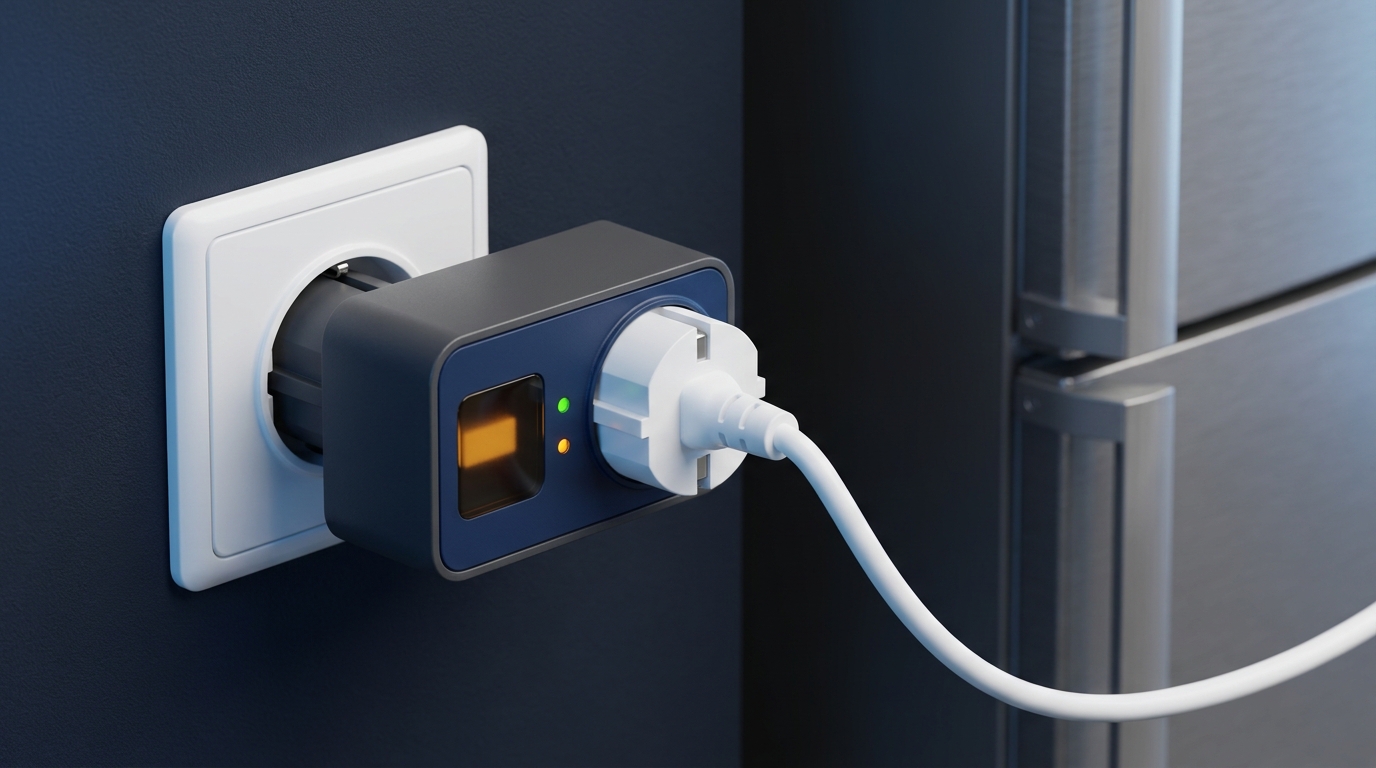
A DIN-rail socket is needed to power service equipment directly in the panel, and phase indicators show the presence of voltage without a measuring instrument.
The catalog includes a UEC DIN-rail socket with an earthing contact and GEWISS 2P plus E sockets rated 16 A, 2.5 modules wide, including one with a hinged cover. GEWISS 16 A, 230 V phase indicator lights take one module and come in yellow, green and red versions: in a three-phase panel they are installed one per phase to see the presence of all three. These are simple elements, but they are what makes diagnostics fast: a lost phase is visible at once, without opening the cover and without measurements. In panels with metering and backup power, the indication performs one more role: it shows which exact source the installation is currently running from.
Load-break switch and switch-disconnector
A load-break switch is intended for switching operating currents, while a switch-disconnector creates a visible break for safe servicing of the panel.
The UEC SB-H8 series covers 1P, 2P, 3P and 4P versions for currents from 20 to 125 A, and the three-position SB-H09-63 switch-disconnectors cover 16 to 63 A. They are installed on the input instead of a circuit breaker when overcurrent protection is provided by the supplier's device, and inside the panel only a device for removing voltage is needed. For high currents, power switch-disconnectors of the VR32 series rated 100-630 A are used, collected in the section of switch-disconnectors. A practical rule: the panel must always have a device that can fully de-energize it without breaking the meter seal.
"When I am asked to 'just add one more circuit' to a panel, the first thing I look at is not the free modules but the neutral terminal block. If there are no free positions on the neutral busbar (N), there is physically nowhere to connect the circuit, and jumpers under a single screw begin. This is exactly where the strange behavior of the RCD later comes from. A busbar without a reserve is the same problem as a rail without a reserve."
- Oleh Lukianchuk, electrical engineer at UEC
Typical mistakes in panel assembly
Most panel defects are not a matter of faulty devices but of layout mistakes: no reserve, merged neutrals, under-tightened terminals and missing labeling.
Below are the cases that occur most often and have the most expensive consequences. Each of them shows up not on the day of installation but months into operation. In most cases the common cause is one: the decision was made on the principle of "so that it works now", without considering the mode in which the panel will work for years. The second most widespread factor is saving at the purchasing stage, when an enclosure or a device is chosen by price rather than by calculation.
Seven mistakes every electrician sees
A list of typical defects of a household panel and what each of them ends with.
The first mistake is an enclosure without a reserve of modules: any new circuit requires replacing the panel. The second is merged neutrals of the circuits after the RCD: the device trips for no reason or loses sensitivity. The third is a circuit breaker rating that is too high for the cable cross-section: the cable overheats before the protection trips, and this mechanism is analyzed in detail in the article on why you must not install a more powerful circuit breaker. The fourth is under-tightened or over-tightened terminals and a flexible wire without a ferrule. The fifth is the absence of labeling and a diagram, because of which any diagnostics starts from zero. The sixth is a degree of protection that does not match the conditions: a plastic IP40 enclosure outdoors takes on moisture in the first season. The seventh is the same rating for the main and branch breakers, because of which a fault on one circuit de-energizes the entire installation.
What all seven cases have in common is that after installation the panel looks serviceable and works. An overloaded circuit runs for months until the full load appears; an under-tightened terminal heats up gradually; an RCD with merged neutrals at first trips only rarely. That is why panel defects are found not at acceptance of the work but in the heating season, when the load grows. The consequences of wrongly selecting devices are summarized in the article on the consequences of choosing the wrong circuit breaker, and the causes of regular trips in the article on false tripping of a circuit breaker.
Alternative viewpoint: when a 20% reserve is an unnecessary expense
The argument against a reserve sounds reasonable: a larger enclosure costs more, takes up more wall space, and half of the owners will never add a single circuit.
This position is fair in two cases. The first is rented housing or a property for sale, where the wiring will not be changed and the budget is limited. The second is an apartment with a fully finished renovation and a stable set of appliances, where there is physically nowhere to run new cables. In these situations the difference between a 12-module and an 18-module enclosure remains an unused expense. However, two opposing facts should be taken into account. First, the price difference between neighboring enclosure sizes is incomparable with the cost of rebuilding the panel: replacing the enclosure means dismantling all devices, reconnecting every circuit, and calling an electrician again. Second, the set of household loads has been changing faster in recent years than before: inverters, charging stations, heat pumps and backup power equipment are being added. The balanced conclusion is this: in an apartment with no plans for remodeling, a reserve of 2 modules is acceptable, while in a private house saving on the enclosure almost always turns into repeated work.
Checking the panel before applying voltage
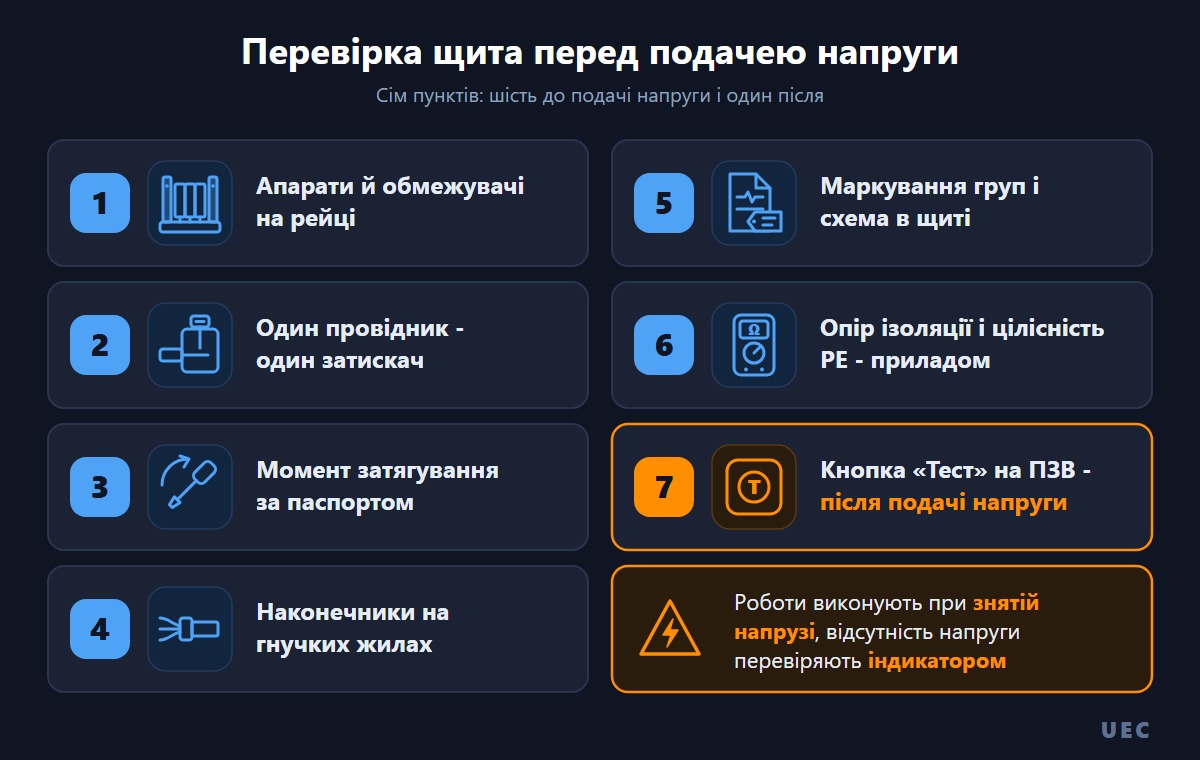
Before the first switch-on, the panel is checked visually and with instruments with the voltage removed, and only then is power applied.
The minimum order of actions is as follows. Check that all devices sit tightly on the rail and that the end ones are fixed with end stops. Make sure that each conductor is inserted into its own terminal and tightened to the rated torque, and that flexible conductors are crimped with ferrules. Check that the actual wiring matches the diagram placed in the panel, and that every circuit is labeled. Measure the insulation resistance of the circuits and check the continuity of the protective conductor to every point. After applying voltage, be sure to press the "Test" button on every RCD and RCBO: the device must trip. This work falls within the competence of an authorized electrician, and it is at this stage that most installation defects are revealed.
Frequently asked questions about assembling an electrical panel
Short answers to the questions that most often come up before assembling a panel.
❓ How many modules should an apartment panel have?
For an apartment with six circuits, an RCD and a double-pole main breaker, the minimum requirement is about 12 modules. Allowing for a reserve, an 18-module enclosure is chosen, and if separate RCBOs are planned for the washing machine and the storage water heater, a 24-module one. It is the modules that must be counted, because RCDs and RCBOs occupy two module positions each, not one.
❓ What are the dimensions of a standard DIN rail?
The profile width is 35 mm, the height is 7.5 mm or 15 mm; these are the TH35-7.5 and TH35-15 types per IEC/EN 60715. A 7.5 mm profile is used for household panels, and the typical metal thickness of a galvanized rail is about 0.8 mm. The length is selected by the number of modules at 18 mm per module position plus an allowance for end stops.
❓ In what order should devices be placed in the panel?
The order follows the flow of energy: the incoming switching device, metering, surge protection (SPD), the voltage relay, the RCD, the branch breakers. The diagram is read from left to right and from top to bottom. Circuits of the same type are placed side by side so that a comb busbar runs in one piece.
❓ Can the neutrals of several groups be combined on one terminal?
No. The neutrals of circuits behind different residual current devices must be kept separate, otherwise the RCD reads the cross-flow of current as leakage and either trips for no reason or loses sensitivity. Each group gets its own position on the neutral busbar (N) and its own on the protective earth busbar (PE).
❓ What degree of protection is needed for a panel in a garage?
For a garage, workshop, boiler room and outdoor installation, IP55 or IP65 enclosures are used, for example ShchMPp in the IP65 version or the GEWISS 40 CD series. For a dry residential room IP40 is enough. The modular devices themselves have IP20 and in any case operate inside an enclosure.
❓ Where in the panel should the voltage relay go?
After the incoming device and the metering unit, ahead of the residual current protection devices and the branch breakers. The rated current of the relay is chosen no lower than the input current, and for high currents a contactor arrangement is used, where the relay controls the coil and the contactor switches the current.
❓ Can you assemble a panel yourself?
Assembling the mechanical part, that is mounting the devices on the rail and doing the internal wiring, is technically possible. But connection to the incoming cable, work in the metering unit and the first switch-on are carried out by an authorized electrician with electrical safety qualification group III or higher. This is a safety requirement, not a formality: the input section of the panel stays energized even with the branch devices switched off.